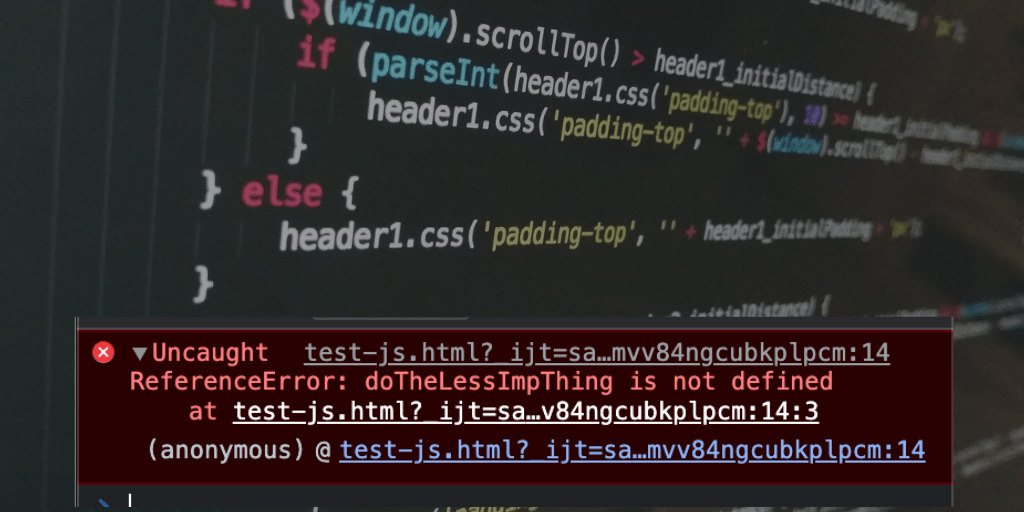
Don’t get me wrong, JavaScript is a powerful language. However, it is also a dynamic language.
The problem with being dynamic language is you can do all kinds of crazy things, like, reference variables that don’t exist or work with objects of an unknown shape, since the code is executed by the browser if there are issues with your code you won’t be able to catch it until runtime when the browser throws an error and then your code / app is broken for good!!.
Now, the whole point of TypeScript language is it prevents just that…prevents errors from ever happening by extending JavaScript with types. Hence the language is a super-set of JavaScript which means you can write plain JavaScript with all of its features completely optional.
IDE’s have become smarter now that they provide instant feedback when writing code because TypeScript behaves like a compiled language where as JavaScript is the compilation target.
For example, IDE will provide feedback about using a variable that does not exist and we can fix this issue then and there instead of fixing this issue weeks or months later when a hardworking QA engineer finds it. And we could have saved lot of time and money, also most importantly not find yourself in an embarrassing situation.
So, TypeScript, the primary goal of this language is to enable static typing, one way to achieve that is by allowing you to annotate your code with types.
let userName: string = 'Kumar Gandhi';
// Also known as explicit type since we set the type.
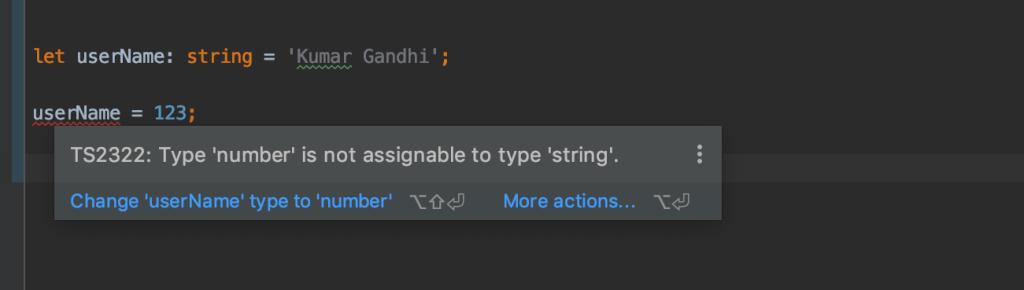
In above code sample you can see strongly typed variable using a colon followed by a type.
There are other types we can set, like, number, boolean …This is called explicit type. So if we try to assign a value of wrong type then we get an error. Alternatively, we can also set initial value and it will implicitly assign type, see below code.
let userName = 'Kumar Gandhi';
// Type is implicitly set to string since the value is of type string.
You can also opt-out of type when you annotate with the any type which allows you to loosely type or opt-out of type checking.
let userName: any;
// Opt-out of type check and type can change dynamically.
You can also define your own custom types and interfaces which is extremely powerful when working with objects.
// Custom type using interface
export interface User {
    id: string;
    email: string;
    displayName: string;
    photoURL?: string;
}

// My variable with custom type
let currentUser: User;
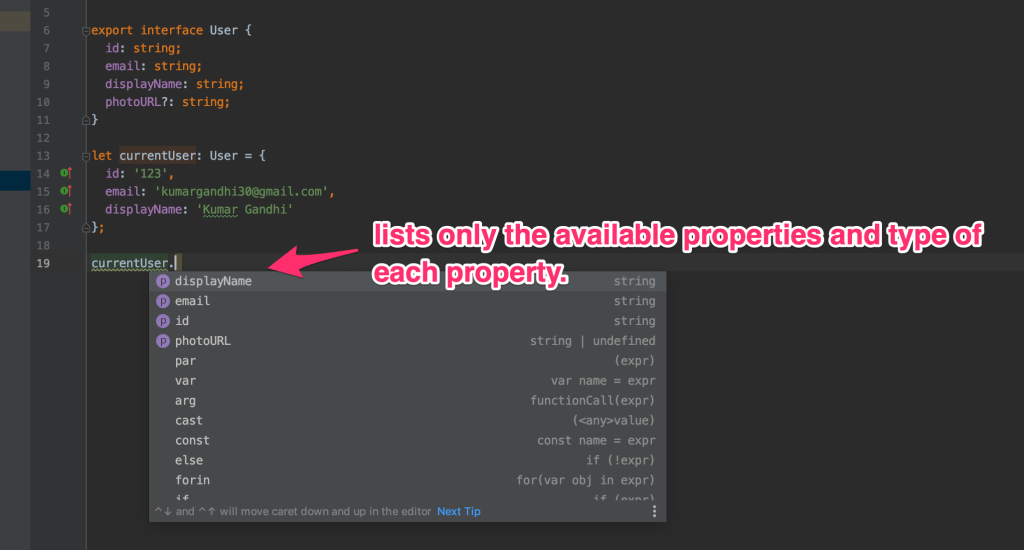
Above User interface defines various types of the properties on an object. We can then apply this interface to the plain JavaScript object, the currentUser object.
The beauty of having this strongly typed code is that we get auto-complete everywhere in our IDE and we don’t have to jump back and forth through documentation or traces to figure our why our code is not working!!.
Working with TypeScript project
- Project will will have a tsconfig.json file which provides ways to customise the behaviour of the compiler.
- Run the TypeScript compiler using the tsc command it will take the .ts file and transpile it into vanilla JavaScript.
- You may also choose which version of JavaScript you want to in the compiler settings if you are targeting some older browser.
- This means you can start using the latest features of JavaScript without having to worry if they will be supported in an older environment.
Conclusion
- I started writing code in TypeScript a few years ago and it made me a better web developer.
- Checkout this amazing tutorial on how to set up a new typeScript project to get started – https://www.digitalocean.com/community/tutorials/typescript-new-project.
- TypeScript docs at https://www.typescriptlang.org/docs/.
- You don’t have to download anything to start writing or to learn TypeScript, use the playground at – https://www.typescriptlang.org/play
- The best IDE for TypeScript is visual studio code, and the IDE became powerful over the years due to the strong support from the community, you can download the IDE at – https://code.visualstudio.com/
 Kumar Gandhi Koppolu