In this blog post we will try to understand how a FormArray works. In simple words FormArray is simply a collection of form controls grouped together. So if a control in the FormArray is invalid then entire array is invalid. And a form control in the array can be FormControl or FormGroup.
In order to understand FormArray we should first understand FormGroup and FormControl. So, I would suggest reading about these.
Let’s get right into the post.
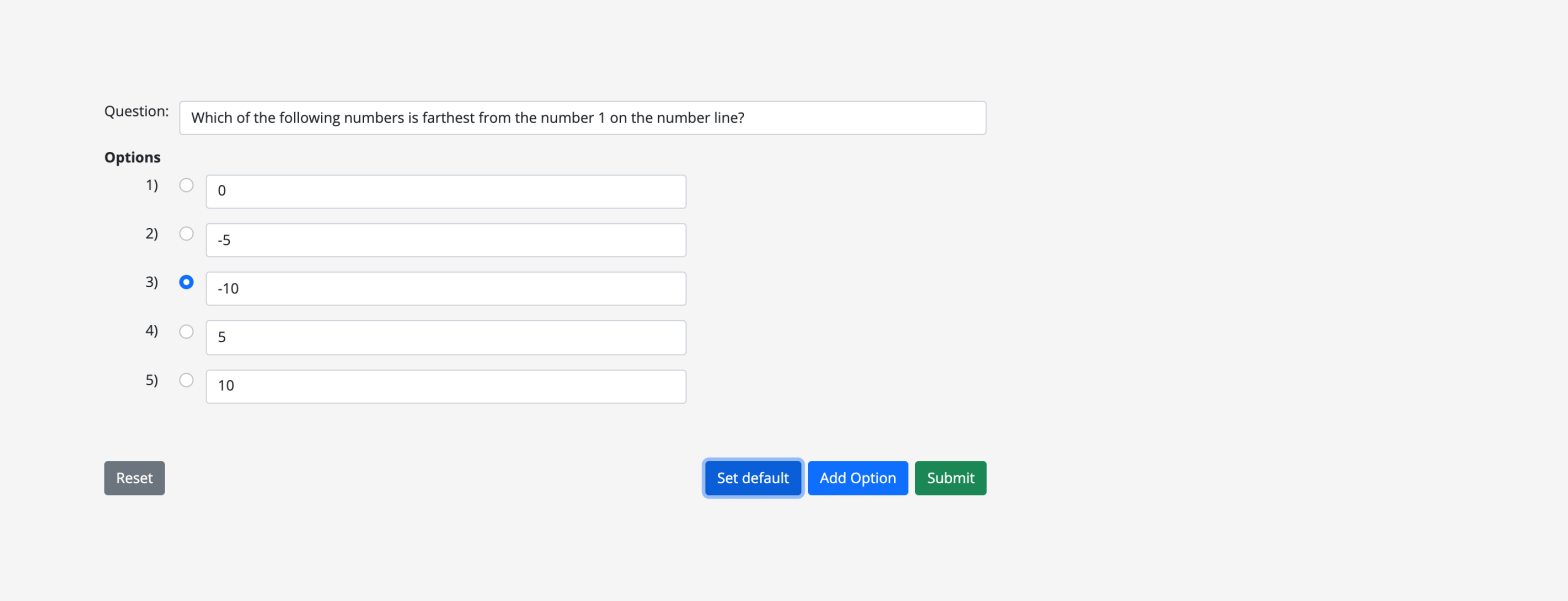
Assume we have a requirement to create a form like below.
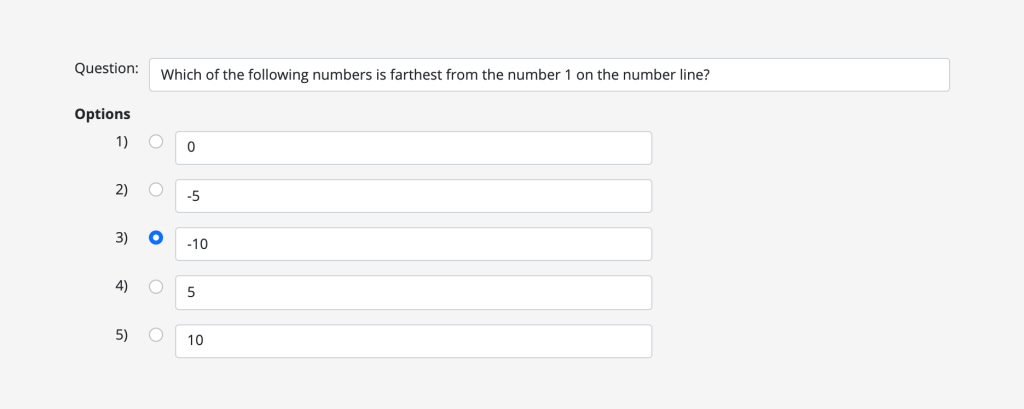
This is a question and answer type of form. And answer is actually multiple radio buttons selection. So, we have two type of controls:
- Input text element for question and answers.
- Radio buttons for selecting the correct option in our answers.
First, lets start by creating or building our form model form, like below.
this.form = this._fb.group({
            question: ['', Validators.required],
            options: this._fb.array([]),
        });
Above form group has one field / control called question for our Question input and another field / control options for our options or answers defined as a form array (this._fb.array([])). **If you’ve noticed we are working with reactive-forms which is the best way to work with dynamic controls.
An array usually comes with few methods through which we can manipulate our array. Same for FormArray too, it has few methods. Like, push to add new controls to form array.
Now lets look at some code where we can add controls to our form array options field defined above.
const options = this.form.get('options') as FormArray;
const option = new FormGroup({
      selected: new FormControl(),
      answer: new FormControl('', [Validators.required]),
});
options.push(option);
In above code sample we are creating a new form group with two controls {selected, answer} for each of our option and adding them to ours options form array. So, selected form control is actually a radio button for user to select the correct answer and answer is input text element to display the answer. Finally using push method to add our new form control to the form array. Likewise, we can add multiple options to our form array and create the options like in the screenshot.
Now we have created our form with the needed controls in them.
Lets look at another scenario. Say, we get our question data from API call and we want to populate our form with this data, for this we could write a simple function like below.
setDefault(data = DEFAULT_DATA) {
    const { question, options } = this.form.controls;
    question.setValue(data.question);
    const selectedOption = (this.selectedOption = data.answer);
    this.isOptionSelected = true;
    (options as FormArray).clear();
    data.options.forEach((item) => {
       const option = new FormGroup({
            selected: new FormControl(),
            answer: new FormControl(item, [Validators.required]),
        });
        (options as FormArray).push(option);
    });
    (options as FormArray).controls[selectedOption]
        .get('selected')
        ?.setValue('selected' + selectedOption);
}
Take a minute to debug above code. In above code line no. 14-16 shows you how we are selecting the correct radio button answer in the array of options.
And our data from API call is like below.
const DEFAULT_DATA = {
    question:
        'Which of the following numbers is farthest from the number 1 on the number line?',
    options: ['0', '-5', '-10', '5', '10'],
    answer: 2,
};
Lastly lets look at our form template.
<form
    class="needs-validation data-container question-answer-form"
    [formGroup]="form"
>
    <div class="row pb-3">
        <div class="col-md-1 text-end">Question:</div>
        <div class="col-md-11">
            <input
                type="text"
                class="form-control"
                id="question"
                placeholder="Enter question"
                formControlName="question"
                [ngClass]="{
                    'is-invalid':
                        isFormSubmitted && form.controls['question'].errors
                }"
                required
            />
            <div
                class="invalid-feedback"
                *ngIf="form.controls['question'].errors?.required"
            >
                Question cannot be empty
            </div>
        </div>
    </div>
    <h6
        class="fw-bold"
        *ngIf="optionsFormArray && optionsFormArray.controls.length > 0"
    >
        Options
    </h6>
    <div
        class="row pb-3"
        formArrayName="options"
        *ngFor="let option of optionsFormArray.controls; let i = index"
    >
        <ng-container [formGroupName]="i">
            <div class="col-md-1 text-end">{{ i + 1 }})</div>
            <div class="col-md-8">
                <div class="row">
                    <div class="col-md-2 radio-clm">
                        <input
                            class="form-check-input"
                            type="radio"
                            id="selected{{ i }}"
                            value="selected{{ i }}"
                            formControlName="selected"
                            name="selected"
                            (click)="optionClicked(i)"
                        />
                    </div>
                    <div class="col-md-10">
                        <input
                            type="text"
                            class="form-control"
                            formControlName="answer"
                            maxlength="255"
                            placeholder="Enter option text"
                        />
                        <div
                            *ngIf="
                                getOptionsFormGroup(i).controls['answer']
                                    .touched &&
                                !getOptionsFormGroup(i).controls['answer'].valid
                            "
                            class="row text-danger mb-3"
                        >
                            <div
                                class="col-md-12"
                                *ngIf="
                                    getOptionsFormGroup(i).controls['answer']
                                        .errors?.required
                                "
                            >
                                Option is required
                            </div>
                        </div>
                    </div>
                </div>
            </div>
        </ng-container>
    </div>
</form>
In the above template we can see we have initialised our form [formGroup]=”form” and defined our form controls by using the directive formControlName. We are also creating our controls in the form array dynamically by looping through it *ngFor=”let option of optionsFormArray.controls; let i = index” and define our form group [formGroupName]=”i” and again define controls in them.
That’s it, we have worked with Form and FormArray now!!.

This is just a initial step towards creating more intuitive and complex forms in Angular. For example, there are still lot more methods in FormArray we can use, like to name a few:
- To remove all controls we can use method clear().
- To remove a control at a given index we can use method removeAt({}).
- Method insert({}) to add a control at a given index.
Checkout Github repo for complete code and also to see it in action.
 Kumar Gandhi Koppolu