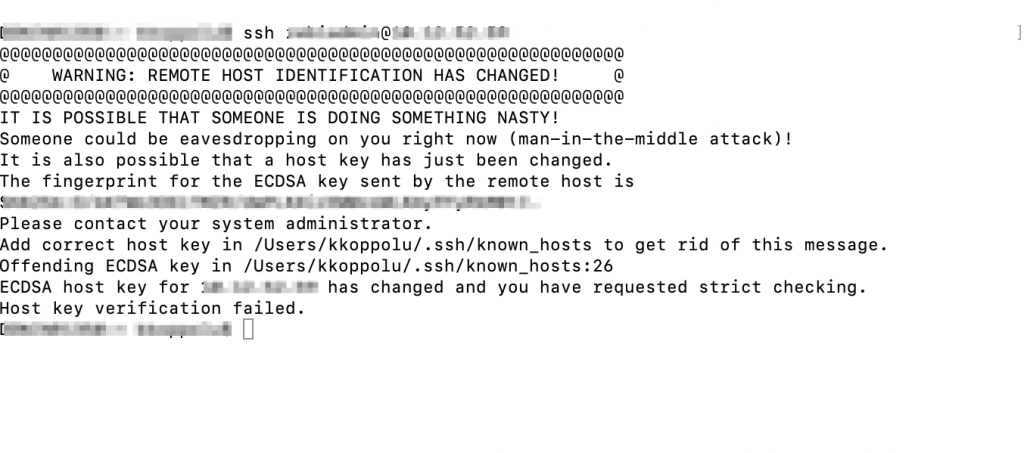
When we login to a host using ssh we might come across the error ‘Host key verification failed’. If you see additional message saying the ‘host key for XX.XX.XX has changed’ then the fix i am giving will work for you.
You see this error because the key of the host system is basically changed and this new key on the host system does not match with the one that is locally saved.
Error on terminal
The fix is to remove the host from the known hosts list (/.ssh/known_hosts) on your local system. Below is the command.
$ssh-keygen -R XX.XX.XX
After removing the host you can try login again. $ssh userName@XX.XX.XX and you are logged in.
Note: XX.XX.XX – Is the host DNS, like, 10.10.10.10. And the fix works only on Mac.
Hi! I’m Kumar and I live in Bangalore (IN) with my family.
By profession I’m a Web Developer experienced in a vast variety of frameworks and technologies, like, HTML, CSS, JavaScript, Angular, Bootstrap… Using these i have built or sometimes maintained mid market and enterprise level applications. I worked for few software companies over the years and on few domains like finance, field-service and storage. I also did consulting job at one point.
I am loyal and hard (or for better word smart) working individual.
In my free time I read books, in fact I buy a lot of books hoping that some day I might find all the time in the world to read them and I also enjoy watching TV.
View more posts
 Kumar Gandhi Koppolu